Introduction
Snap Spectacles offer developers a unique way to build immersive, hands-free AR experiences using Lens Studio and the Spectacles Interaction Kit (SIK). With support for computer vision, spatial understanding, hand tracking, voice input, and interactive 3D content, Spectacles provide a powerful platform for exploring next-generation spatial computing experiences.
As part of my exploration of the platform, I worked on a solution that combined image tracking, marker tracking, 3D object detection, indoor navigation, object spawning, and interactive AR experiences. Rather than implementing these capabilities independently, the goal was to create a connected experience that could understand the environment, guide users through indoor spaces, and provide contextual information at the right time.
Understanding the Environment with Image and Marker Tracking
The experience begins by recognizing meaningful visual references in the environment.
Using Lens Studio’s Image Tracking and Marker Tracking capabilities, Spectacles can identify predefined images, custom markers, or Snapcodes and use them as anchors for digital content. These anchors act as entry points into the AR experience, allowing virtual information to be placed accurately within the user’s surroundings.
One key learning was that marker design plays a major role in tracking quality. High-contrast images with distinct visual features generally produced more stable and accurate results.
Adding Context with 3D Object Detection
While image tracking helps identify known visual targets, many indoor environments require a deeper understanding of physical spaces.
To address this, I incorporated 3D object detection to recognize real-world objects and landmarks within the environment. This allowed digital content to be associated with physical objects rather than only predefined markers.
For example, room identifiers, furniture, or environmental landmarks could be used as reference points to improve spatial understanding and create more context-aware navigation experiences.
Building an Indoor Navigation Experience
Unlike outdoor navigation, indoor environments often lack reliable GPS signals and can be difficult to navigate, especially in large offices, campuses, hospitals, airports, or manufacturing facilities.
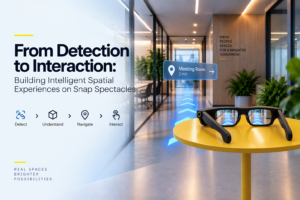
To address this challenge, we leveraged the spatial computing capabilities of Snap Spectacles and concepts from the Spectacles Navigation Kit, which provides APIs for calculating direction and distance to places of interest and enables intuitive AR-based navigation experiences.
The navigation workflow consisted of:
- Spatial Localization
The user’s position is identified using visual references and environmental understanding. For indoor experiences, navigation relies on localization within a Custom Location Group, since traditional geolocation is often unreliable indoors. - Destination Selection
Users can select a destination such as a meeting room, collaboration zone, cafeteria, help desk, or any predefined point of interest. - Route Generation
Once the destination is selected, the system calculates the relative direction and distance from the user’s current position to the target location. The Spectacles Navigation Kit provides APIs that support this directional guidance. - AR Navigation Guidance
Navigation cues are rendered directly within the user’s field of view using spatially anchored AR content. Directional arrows and indicators are aligned with the physical environment, creating a natural guidance experience. - Hands-Free Wayfinding
Instead of repeatedly checking a phone or map, users can simply follow visual guidance overlaid onto the real world. This reduces cognitive load and enables a more immersive, hands-free navigation experience.
Dynamic Object Spawning and Interaction
To make the experience more engaging and useful, virtual content was dynamically spawned at relevant locations along the navigation path.
Navigation checkpoints, guidance markers, and contextual information panels were placed based on user position, route progress, and environmental context. Rather than appearing at fixed locations, content adapted dynamically as the user moved through the space.
A major focus was also enabling interaction with these virtual objects.
Using Spectacles interaction capabilities, users could:
- Select content using hand gestures.
- Interact with navigation elements.
- View additional information panels.
- Access contextual details associated with locations or objects.
- These interactions helped transform navigation from a passive experience into an interactive spatial journey.
Key Learnings
Working on this PoC highlighted several key considerations for building AR experiences on Spectacles:
- Tracking stability is critical for navigation-oriented experiences.
- Lighting conditions and environmental changes directly affect detection performance.
- Consistent spatial anchoring is essential for maintaining user confidence.
- Effective AR experiences should provide guidance without overwhelming the user.
- Combining multiple spatial computing capabilities creates significantly richer experiences than using individual features in isolation.
Use Cases
Smart Workplace & Spatial Productivity
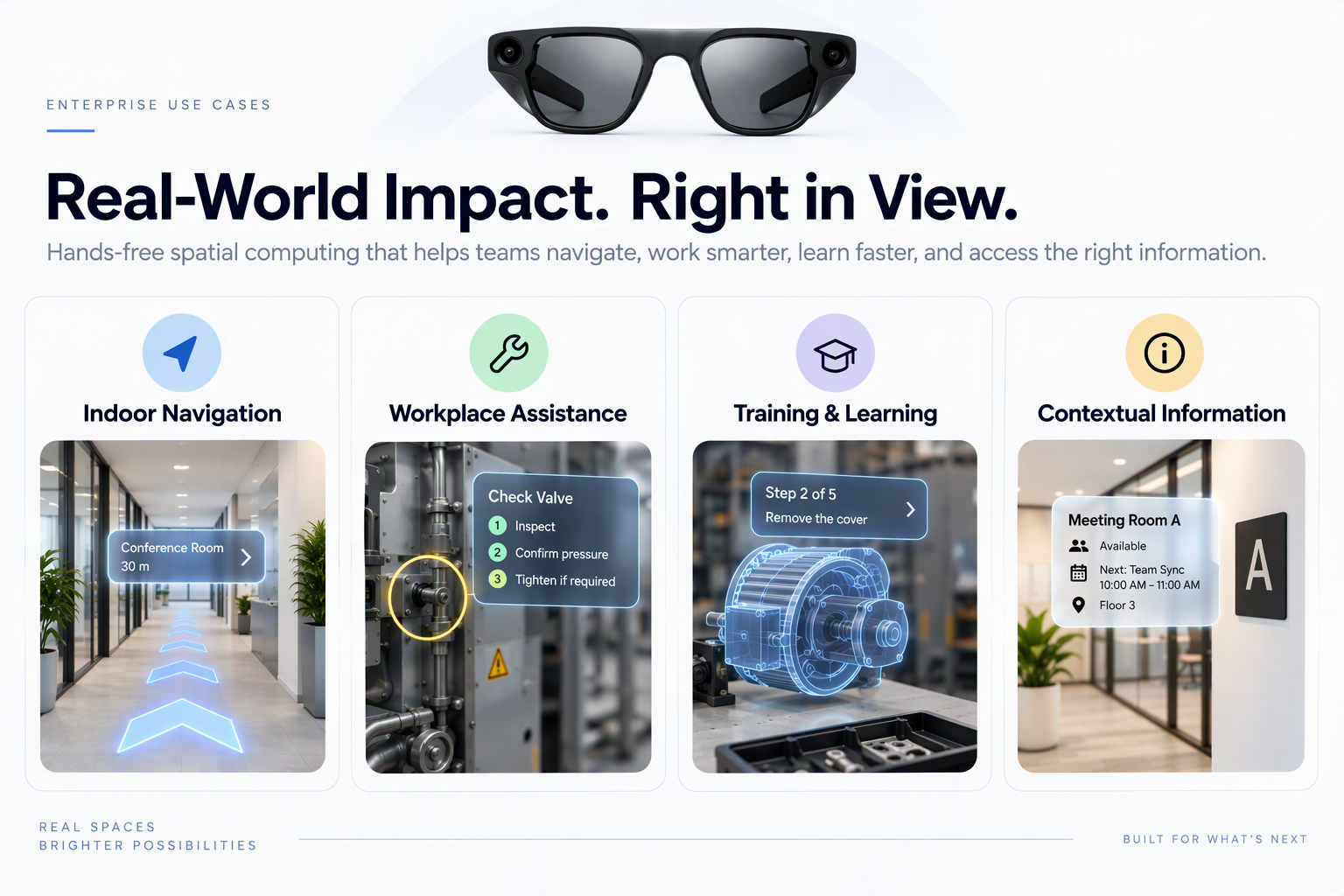
Snap Spectacles can transform any environment into an intelligent workspace by bringing digital content directly into the user’s field of view. Employees can access virtual screens, collaborate on shared content, view contextual information, and interact with work tools without constantly switching between physical devices. This creates a more seamless blend between the physical and digital workplace, enabling productivity while remaining present in the surrounding environment.
Intelligent Navigation & Wayfinding
Large office campuses, hospitals, airports, and industrial facilities can be difficult to navigate. Using spatial mapping and contextual awareness, Snap Spectacles can provide real-time AR directions that appear directly within the environment, guiding users with intuitive visual cues. This reduces time spent searching for destinations, improves visitor experience, and increases operational efficiency.
Immersive Training & Learning
Snap Spectacles enable contextual learning by overlaying instructions, guidance, and interactive educational content onto real-world objects and environments. New employees, students, or trainees can receive step-by-step assistance exactly when and where it is needed, making complex concepts easier to understand. This hands-on approach accelerates learning, improves retention, and reduces the need for constant instructor supervision.
Conclusion
My experience with Snap Spectacles demonstrated how image and marker tracking, 3D object detection, indoor navigation, dynamic object spawning, and interactive AR can be combined to create practical spatial computing applications.
Rather than using AR solely for visualization, these capabilities enable experiences that help users understand their environment, navigate complex spaces, and interact naturally with digital information. As spatial computing technologies continue to mature, experiences like these have the potential to reshape navigation, workplace assistance, training, and many other real-world scenarios.
Disclaimer: “Infosys® is a registered trademark of Infosys Limited; all other trademarks, trade names, or logos referenced herein are the property of their respective owners, and Infosys does not claim any right, ownership, or association with such third-party marks.”