The Power BI MCP server is a standards-based bridge that lets AI assistants (e.g., GitHub Copilot, Claude, custom agents) understand, query, and modify Power BI semantic models. It allows natural-language data questions, automatic DAX generation, and workflows for model maintenance.
In simple terms, think of the Power BI MCP server as a smart helper that connects Power BI with AI tools like Copilot or other assistants. It makes it easier for these AI tools to understand your data model, ask questions in plain language, and even help you create calculations automatically. Instead of handling everything on your own, this feature helps you get things done quicker and takes a lot of the repetitive work off your plate.
What does MCP mean in relation to Power BI?
MCP (Model Context Protocol) is basically an open standard that makes it easier for AI tools to connect with platforms like Power BI or other data servers. Instead of building custom integrations every time, MCP gives them a common way to talk to each other.
In Power BI, you’ll usually come across two types of MCP servers:
• Remote MCP Server: This lets AI tools read your data model and respond to questions like, “Can you show me the top 10 products by sales?”
• Modeling MCP Server: This one helps on the modeling side. It can assist in building or refining your data model — for example, correcting relationships between tables or adding new measures and calculations.
How it functions (briefly)
1. AI Assistant connects to Power BI: Your Power BI model is connected to tools such as Copilot or other AI agents.
2. Power BI shares its structure: The server provides access to tools like calculation creation and displays to the AI which tables, columns, and measures are available.
3. AI assists you in reaching your objective: The AI uses these tools to carry out your requests, such as “Check if my model follows best practices” or “Add a Month-over-Month growth calculation.”
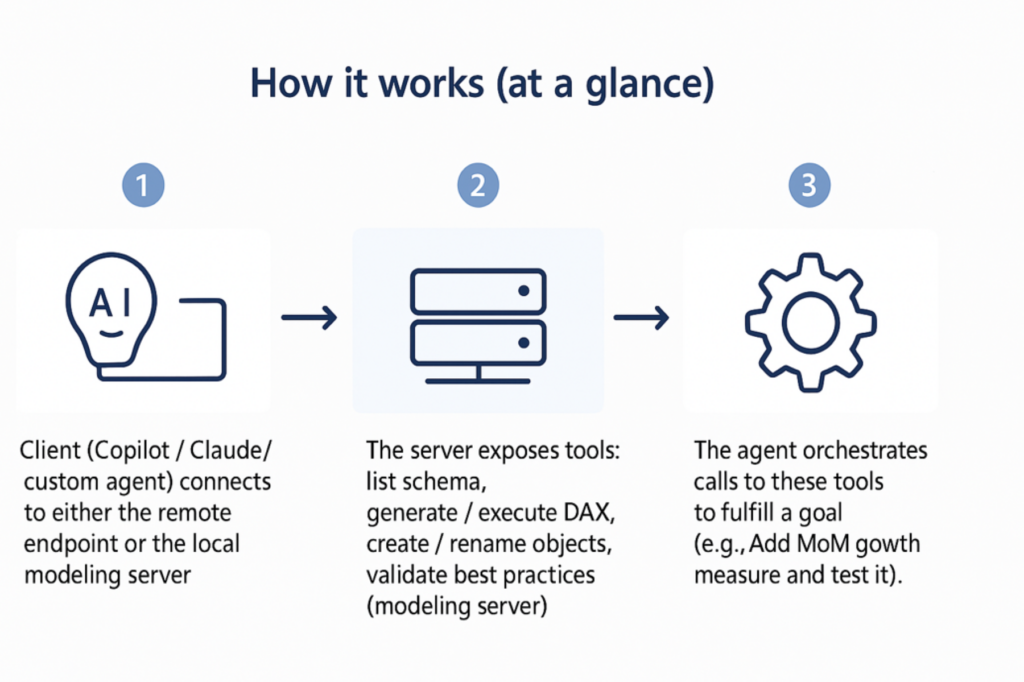
Image 1: How MCP Server works
What the MCP server can do
• Provide semantic model metadata so AI can understand it, or, to put it simply, see how your data model looks.
• Create and run DAX queries according to the intent of natural language.
• Execute modeling operations (modeling server): validate DAX, create or modify measures or columns, modify relationships, and assess best-practice checks.
• Quicken monotonous processes like column renaming and error checking.
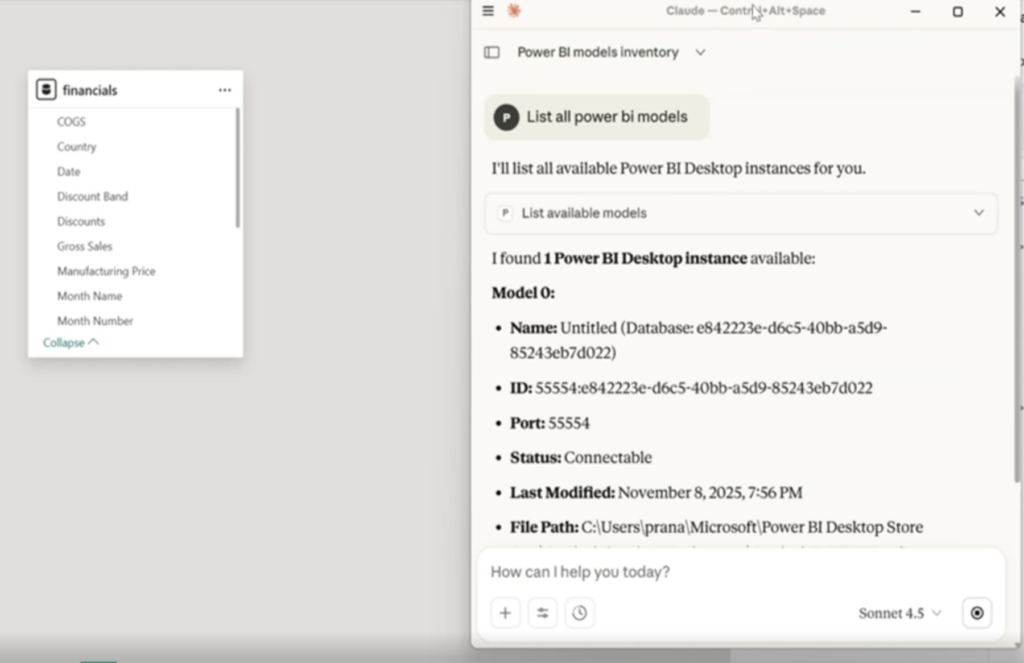
Image 2: Create connection and list Power BI models
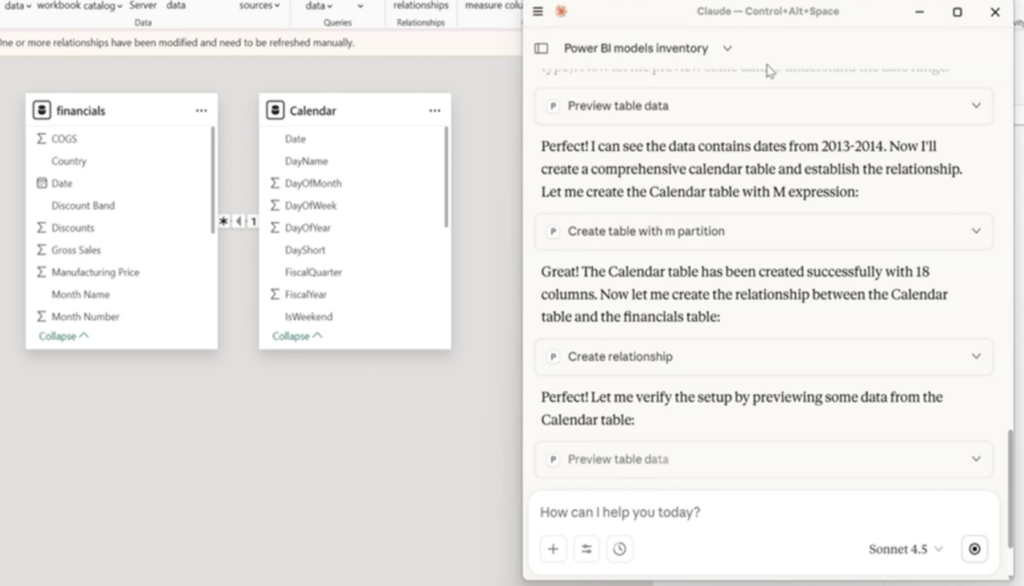
Image 3: Create relationships with tables (new and old)
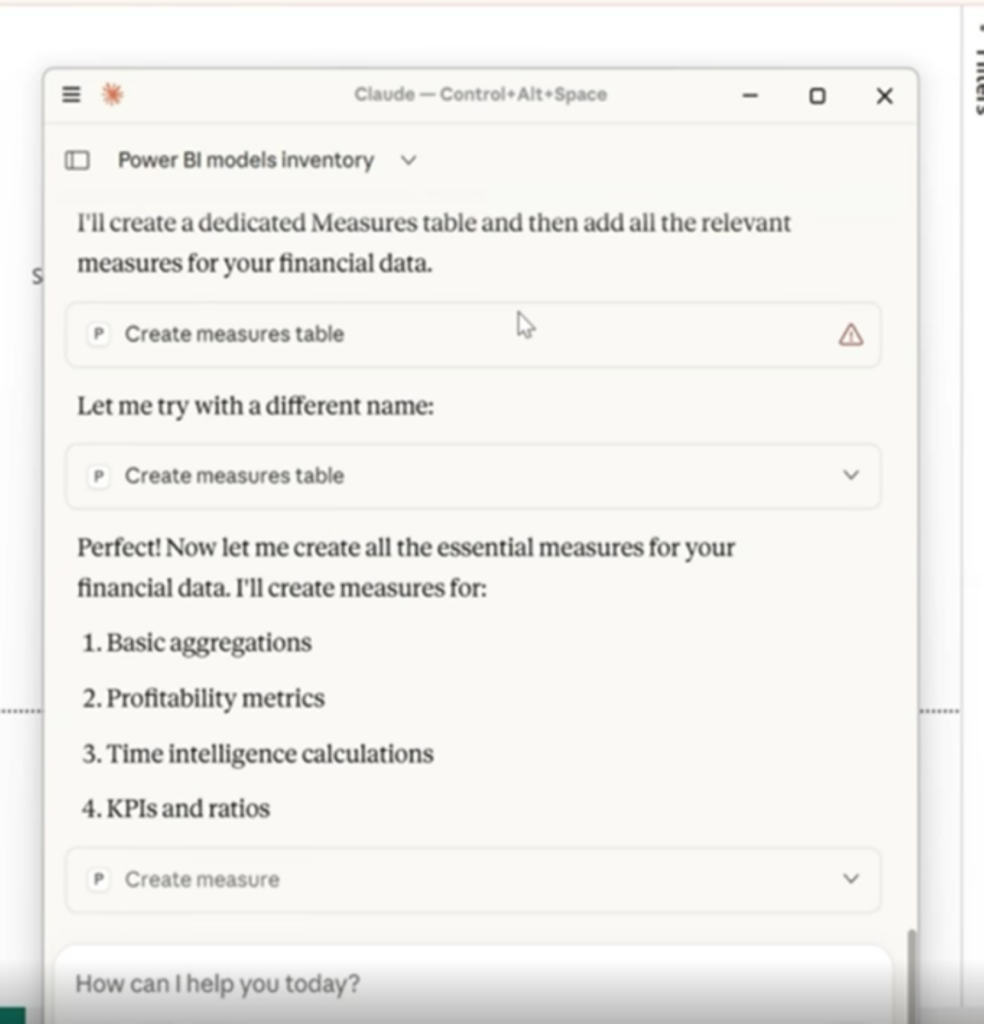
Image 4: Create Measures
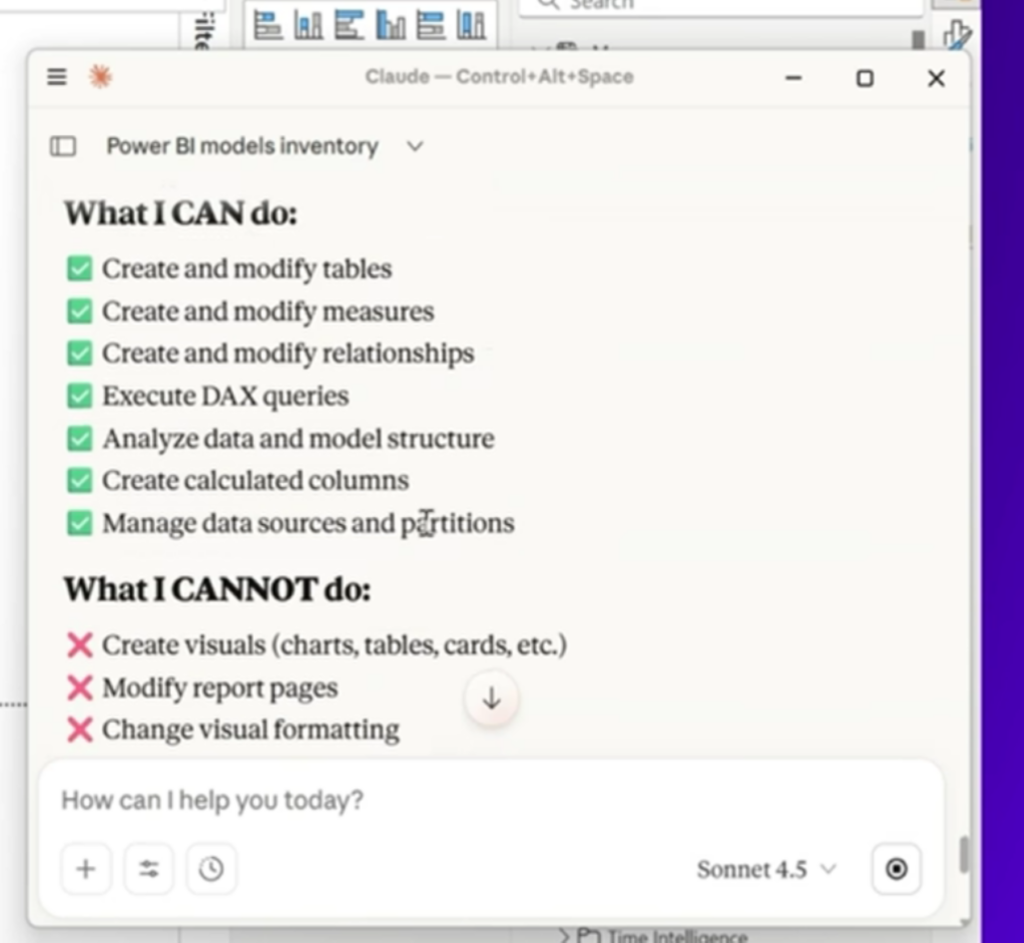
Image 5: What MCP server can do
What is not done by the MCP server
• ETL/Data prep: Power Query, pipelines, and external data engineering procedures are not replaced by it.
• Report canvas authoring: This tool focuses on models and queries rather than creating or styling visuals.
• Workspace governance and RLS setup: It is not responsible for managing gateways, tenant settings, RLS rules, or refresh schedules.
• Guaranteed accuracy: Human review is crucial, particularly for model-changing operations, as LLM agents are prone to misinterpreting intent.
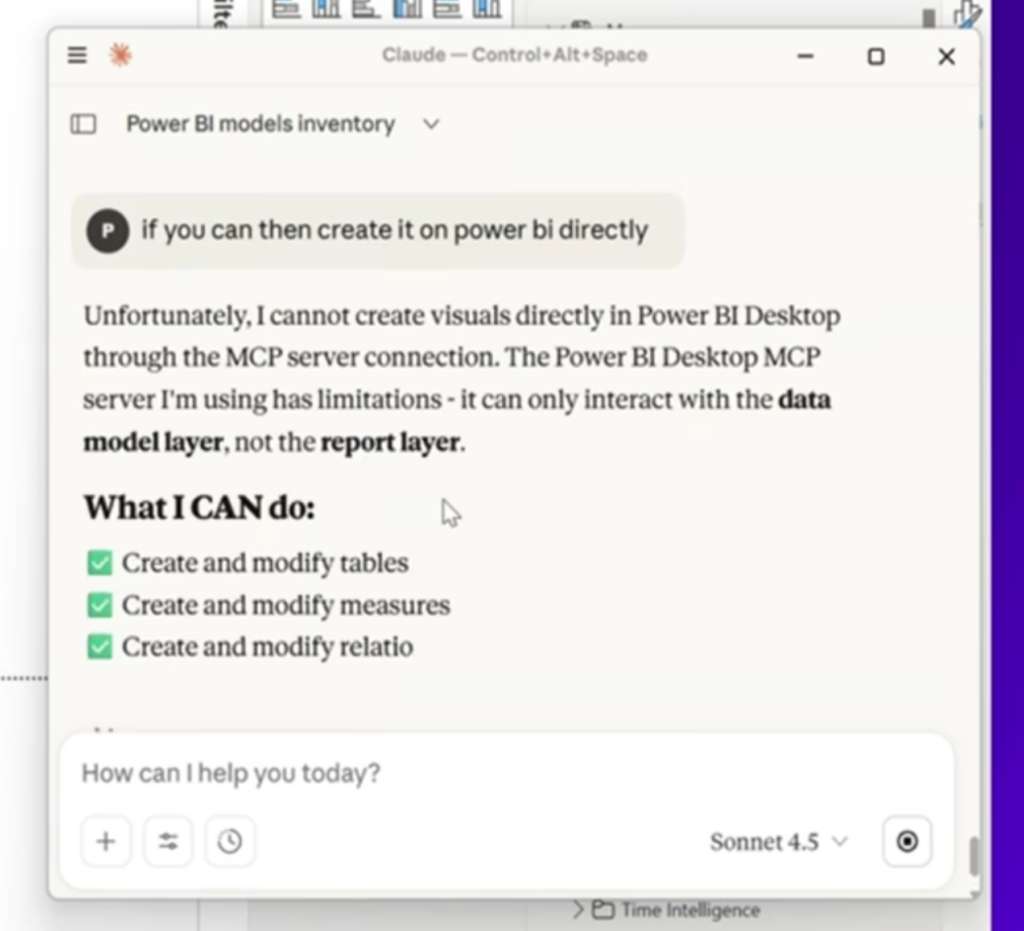
Image 6: Doesn’t create visualizations
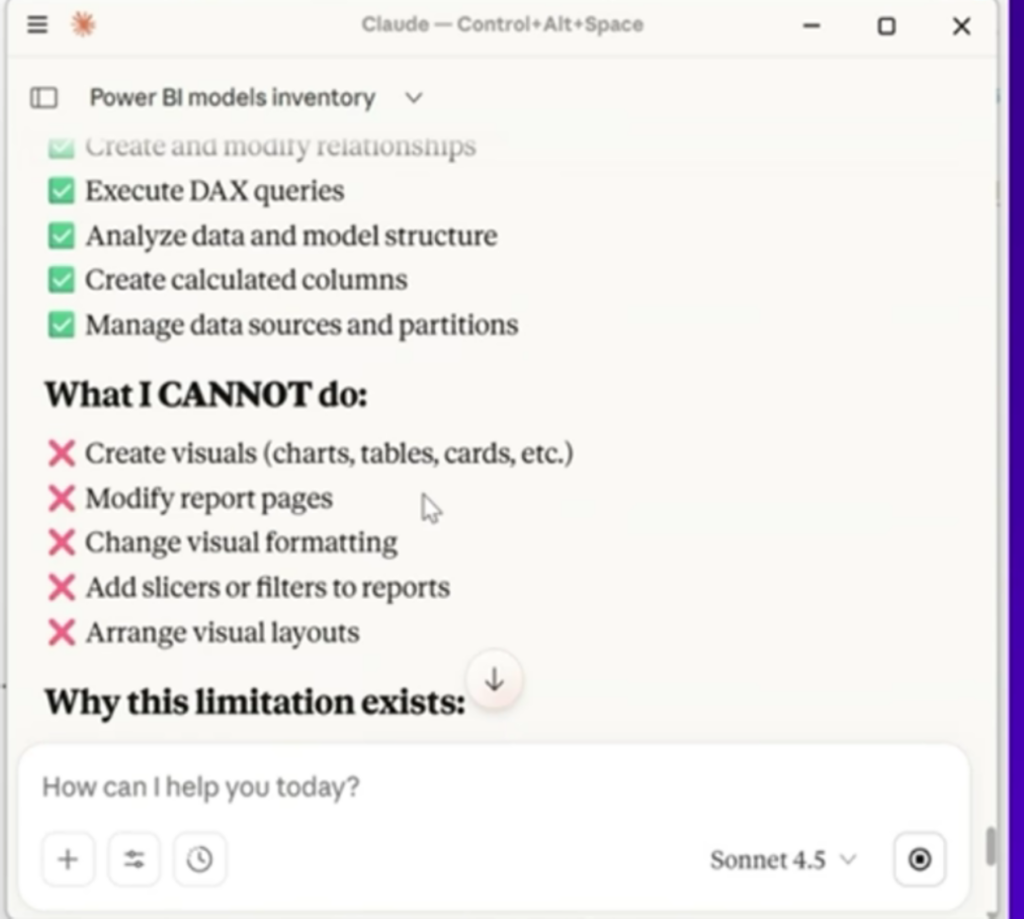
Image 7: What MCP Server can’t do
Big questions!
Q1. Does MCP eliminate the need for a data scientist, data engineer, or data analyst?
In a nutshell, MCP enhances rather than replaces.
• Data analysts continue to create concise narratives, validate findings, and formulate business questions.• Data engineers handle pipelines, create modeling foundations, oversee governance, tune performance, and ensure data quality.
• MCP can assist data scientists in querying and validating metrics rapidly, but it does not replace statistical rigor. Data scientists still design experiments, feature engineering, and causal inference.
Consider MCP as a powerful tool for analytics teams, increasing reach and speeding up repetitive tasks while maintaining the importance of human expertise for accuracy, ethics, and stakeholder trust.
Q2. What does MCP bring to an organisation like Infosys?
· Faster model audits & remediation.
· AI-ready consulting assets.
· Governed extensibility.
· Upskilling & reuse for industry-specific playbooks.
Q3. What does MCP bring for Executives?
· Natural-language access to modeled truth.
· Consistency & trust.
· Faster what-ifs with oversight.
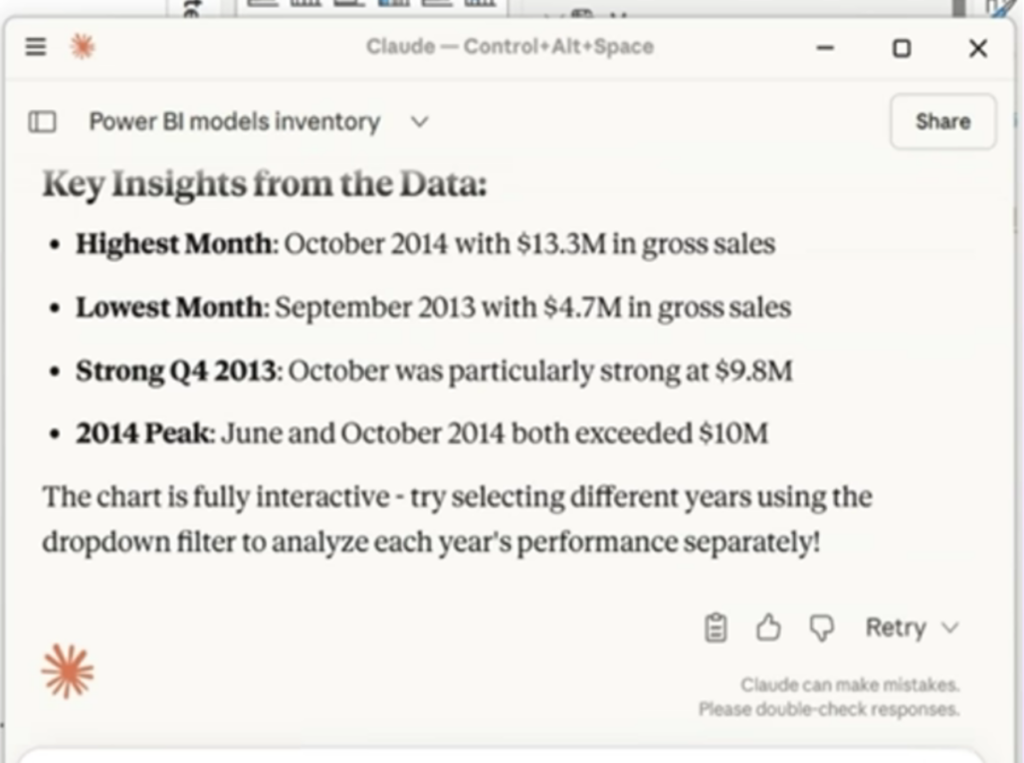
Image 8: Key Insights
Q4. What does MCP bring for Data Analysts & BI Developers?
· Time savings on DAX & diagnostics.
· Improved discoverability.
· Agent workflows that are repeatable for jobs like naming conventions and translations.
Closing Thoughts
The Power BI MCP server provides a balanced way to bring AI-driven efficiency into analytics while keeping governance and human judgment intact. When it’s backed by clear modeling guidelines and proper approval processes, it can really improve how teams at Infosys and similar organizations work together. You start seeing faster insights, smoother AI workflows, and cleaner, more structured models. And at the same time, you’re not giving up oversight or control which is very important.